Apple Games Is Live — It Shows Every iPhone Game You’ve Ever Downloaded (Yes, Even Delisted Ones)
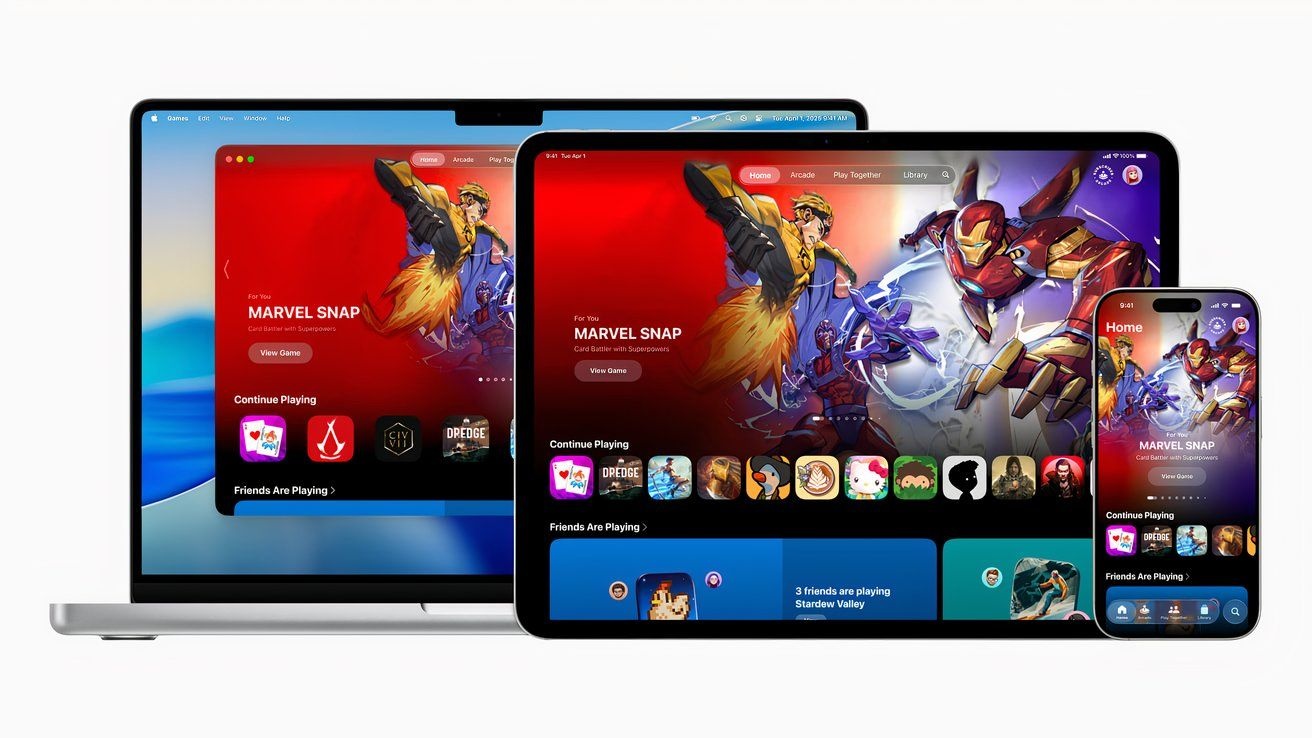
Apple Games, a dedicated gaming app, is now available on Mac and devices running iOS 26. The app centralizes games you’ve downloaded across Apple devices, adds social features tied to Game Center, and gives Mac users a unified launcher for titles from multiple stores.
What Apple Games includes
The app combines elements of the former Games and Arcade tabs in the App Store while adding new functionality. For example, the Home tab shows a carousel of recent activities, a Continue Playing bar, and widgets for Apple Arcade recommendations and what friends are playing.
Search within the app will return only games, not non-game apps, which streamlines discovery. In addition, the Friends tab brings social features that tie into Game Center so players can create and track challenges.
Library and Mac launcher
The Library tab displays every game you’ve ever downloaded across the Apple ecosystem, including titles that have been delisted.
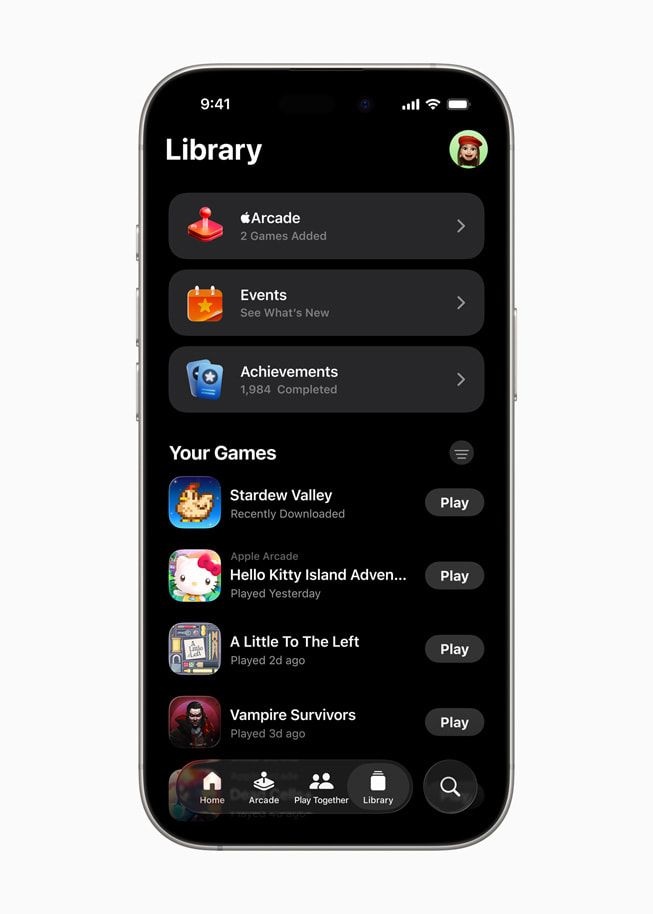
On Mac, Apple Games lists all installed games from multiple sources. Specifically, it will show games installed from the App Store, Steam, GOG, and other locations, and you can launch those games directly from the app. This makes it possible to use Apple Games as an all-in-one launcher on macOS.
Apple Arcade and social tools
Apple Arcade now has a scrollable list of every game on the service, a feature that was not available in the prior Arcade interface. Consequently, browsing the full Arcade catalog is now more straightforward within Apple Games.
Social tools in the Friends tab let players create custom challenges in supported games. For example, you can set a high score challenge in Fruit Ninja, choose which friends can compete, define how long the challenge runs, and set the number of tries each player gets. These challenges are integrated into Game Center.
Availability
Apple Games launched after a public beta and is available on compatible iPhones, iPads, and Macs alongside the iOS 26 update. Users can download and use the app on devices that meet Apple’s compatibility requirements.