Give Your Pikachu a Real Name — How to Rename Pokémon Anytime in Pokémon Legends: Z-A

Renaming Pokémon in Pokémon Legends: Z-A is straightforward and more flexible than in older entries: you can give or change nicknames anytime, anywhere. That means if your starter Totodile deserves a proper name later, or if you spot a typo, you can fix it on the fly.
How to rename your Pokémon in Pokémon Legends: Z-A
First, open your menu by pressing the X button. Then, hover over the Pokémon you want to rename and open its summary page. On that screen, press the Minus (-) button to edit the nickname. It’s simple and instant, so you can rename Pokémon right after catching them or later if you change your mind.
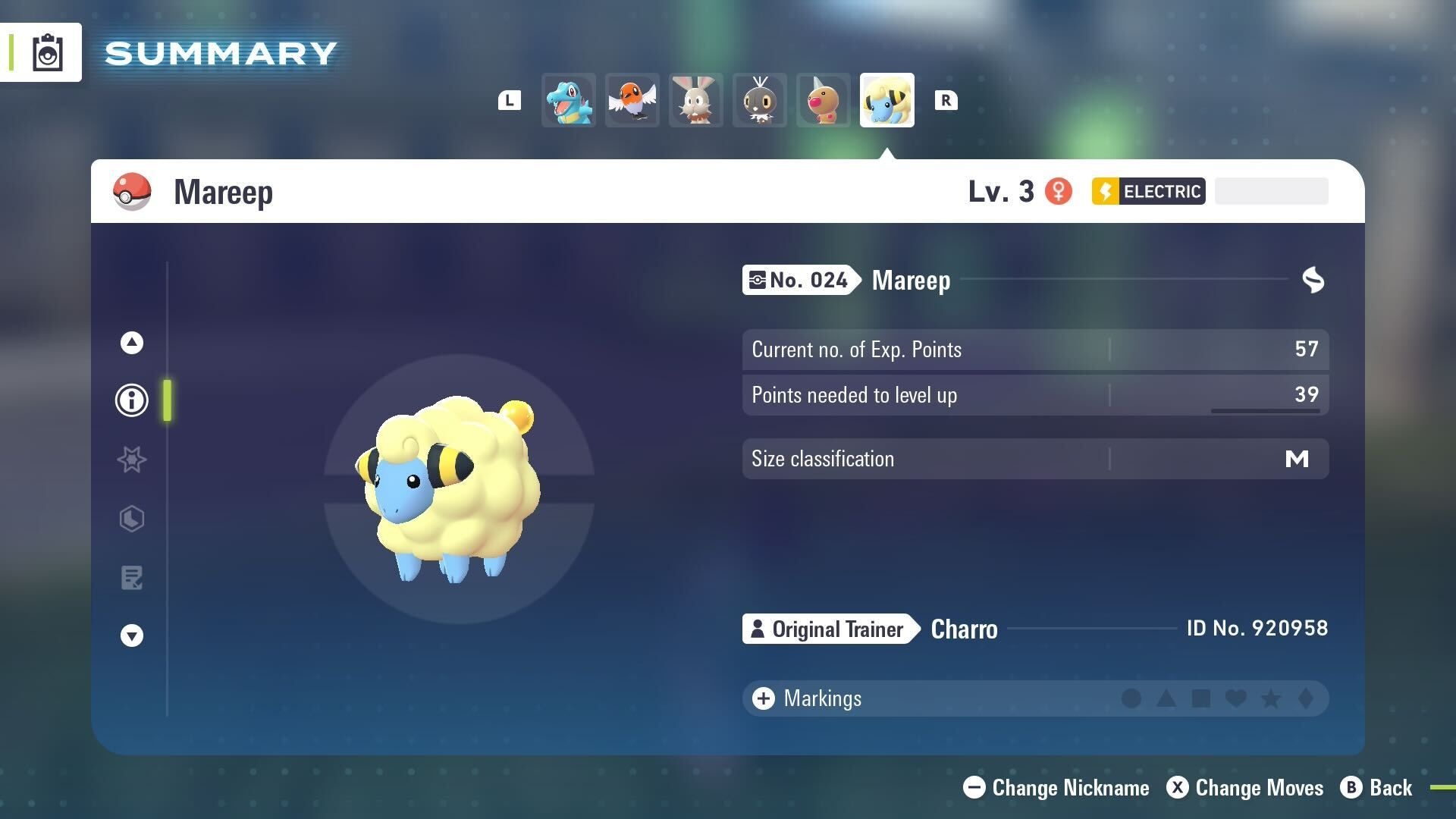
In addition, the game lets you rename most Pokémon without any special NPCs or chores. So, for example, your Eevee, Pikachu, and other catches can all be given new nicknames at will. That said, the option simply won’t appear for some Pokémon — see the limitations below.
Quick steps
Step-by-step, here’s the short version:
1. Press X to open the menu.
2. Highlight the Pokémon you want to rename.
3. Open its summary page.
4. Press Minus (-) to enter a new nickname.
Limitations
However, not every Pokémon can be renamed. Specifically, Pokémon you receive from certain NPC trades cannot have their nicknames changed. On those Pokémon’s summary pages, the rename option will not be present. Otherwise, the rename feature is available broadly for your caught Pokémon, and you can change names as often as you like.
Image credit: Game Freak / The Pokémon Company / Nintendo.