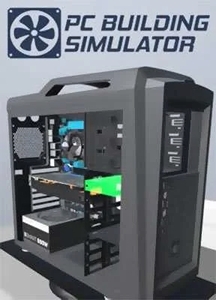
Game Description
PC Building Simulator, also known simply as PC Building or by its full title PC Building Simulator 2 in its latest version, puts you in the driver’s seat of a virtual workshop. Ever wondered what it’s like to piece together a gaming rig without frying components or hunting down screws? This game offers a hands-on experience with real-world parts from brands you actually recognize. Whether you’re new to the DIY world or a tech hobbyist, it’s a neat way to learn the ins and outs of building and repairing PCs.
What’s the Game About?
At its core, PC Building Simulator is exactly what it sounds like—building custom PCs. But there’s more than just snapping parts together. You can run a computer repair business, tackle customers’ problems, or just jump into a freebuild mode where the sky’s the limit. Ever had that moment where you forget a screw or mix up your thermal paste? You’ll get it all here, minus the mess or the risk of frying your motherboard.
Game Modes to Try
- Tutorial Mode – New to PC building? This is your go-to for learning the basics.
- Career Mode – Manage a repair shop, respond to emails, and fix machines under deadline pressure.
- Free Build – No rules, no orders, just you and a pile of parts to create whatever you want.
Key Features You’ll Appreciate
- Real-World Components – Parts from brands like Intel, AMD, Nvidia, and more.
- Dynamic Marketplace – Buy, sell, and hunt for new parts regularly updated.
- Hands-On Learning – Understand PC building concepts without risking your actual rig.
- Multiple Gameplay Styles – Focus on business, hobbyist building, or casual tinkering.
Lesson learned: always have a spare screwdriver handy, even in a game.
Why Give PC Building Simulator a Shot?
It’s surprisingly educational but also relaxing. You don’t have to worry about orders or deadlines if you don’t want to. Fancy yourself as a tech wizard? This is the place to test skills before tackling your own PC. And if you screw something up, just reboot. No need for expensive parts.
Final Thoughts
PC Building Simulator is a solid middle ground between a sim and a casual learning tool. It’s not flashy or over-the-top, but it nails the practical feel of fiddling with computer parts. Wondering if it’s worth your time? If building PCs ever crossed your mind, you might find this unexpectedly satisfying. Need a challenge? You got it. Need practice without the blows? This is your spot.
System requirements
- Minimum:
- Processor: Intel Core i5-2500K 3.3 GHz / AMD Athlon X4 740 3.2 GHz
- Graphics: 2 GB GeForce GTX 660 / Radeon R9 285
- Memory: 4 GB RAM
- Disk space: 7 GB HDD
- Operating system: Windows 7