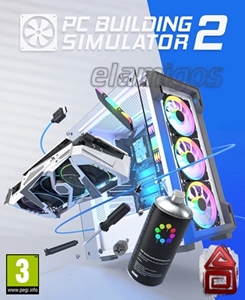
Game Description
PC Building Simulator 2, also known as PCBS 2, is the follow-up to the popular PC Building Simulator game that puts you right in the driver’s seat of a virtual computer workshop. Ever dreamed of building your own rig but felt overwhelmed by all the parts and jargon? This game breaks it down, letting you pick from hundreds of components from real brands and assemble PCs with ease. Whether you want to test some overclocking skills or just mess around creating custom setups, it lets you do all that and more.
What’s the Deal with PC Building Simulator 2?
This isn’t just a parts picker. PC Building Simulator 2 offers a mix of realistic assembly, testing, and even running your own repair shop. It’s a sandbox for PC enthusiasts, hobbyists, and curious newbies alike. And yes, there are plenty of challenges to keep things interesting.
Key Features to Check Out
- Huge Parts Library: Over 1,200 components from 40+ real-world brands. Mixing and matching is the name of the game.
- Career Mode: Run your own shop, fix bugs, handle customer orders, and grow your business.
- Free Build Mode: No rules, no pressure. Just build whatever PC you want.
- Benchmark Tools: Use in-game apps like 3DMark and Cinebench to test your builds.
- Customization: RGB lighting, case painting, stickers—you’re in charge of style.
- Overclocking: Push your CPU and GPU but be careful — overheating kills the fun.
How Does It Play?
Jumping into the game feels surprisingly natural. The UI is clean and accessible, so even if you’re not a tech expert, you won’t get lost. Want to swap out a GPU or fiddle with cables? It’s all there. The visuals are crisp, with detailed parts that show off the ins and outs of PC hardware. Just a heads-up: don’t mix up your screws—lesson learned.
Who Should Give This a Try?
If you like hands-on tech stuff, this is a pretty solid choice. It isn’t about flashy storylines or epic quests—it’s about the satisfaction of building and tweaking PCs. Got a buddy who’s always bragging about their gaming rig? Challenge them to create the ultimate setup here instead.
Final Thoughts
PC Building Simulator 2 offers a realistic and fun environment to dive into PC building without leaving your desk. It’s educational, entertaining, and surprisingly relaxing. So, why not grab your virtual screwdriver and start assembling? Just remember to keep a spare graphics card around — crashes happen.
System requirements
- Minimum:
- Processor: Intel Core i5-3570 3.4 GHz / AMD FX-8350 4.0 GHz
- Graphics: 4 GB GeForce GTX 1050 Ti / Radeon R9 380X
- Memory: 8 GB RAM
- Disk space: 8 GB HDD
- Operating system: Windows 10
- Recommended:
- Processor: Intel Core i5-10400 2.9 GHz / AMD Ryzen 5 3600 3.6 GHz
- Graphics: 6 GB GeForce GTX 1660 Super / Radeon RX 5600 XT
- Memory: 12 GB RAM
- Disk space: 8 GB HDD
- Operating system: Windows 10