Stop Hunting Move Tutors — Teach and Relearn Moves Instantly in Pokémon Legends: Z-A
Want to teach a Pokémon a new move in Pokémon Legends: Z-A? It’s simpler than you might think. Below I’ll walk you through the exact menu steps, point out the little lightbulb indicator that tells you a Pokémon “had an idea,” and explain how to relearn moves if you overwrite one by accident.
Jump straight to the main how-to: How to learn or relearn moves in Pokémon Legends: Z-A
How to learn or relearn moves in Pokémon Legends: Z-A
When a Pokémon levels up or evolves, it sometimes *gets an idea* for a new move. You’ll see a small lightbulb icon next to its EXP gain or a note saying it thought of a move after evolving. However, the game won’t auto-teach the move like some older titles did. Instead, you must perform a couple of simple menu actions.
Follow these steps exactly:
- Press X to open the main menu.
- Choose your Pokémon and select Change moves.
- From that screen, pick the newly thought-up move to teach it. You can also select moves from your available list of TMs here.
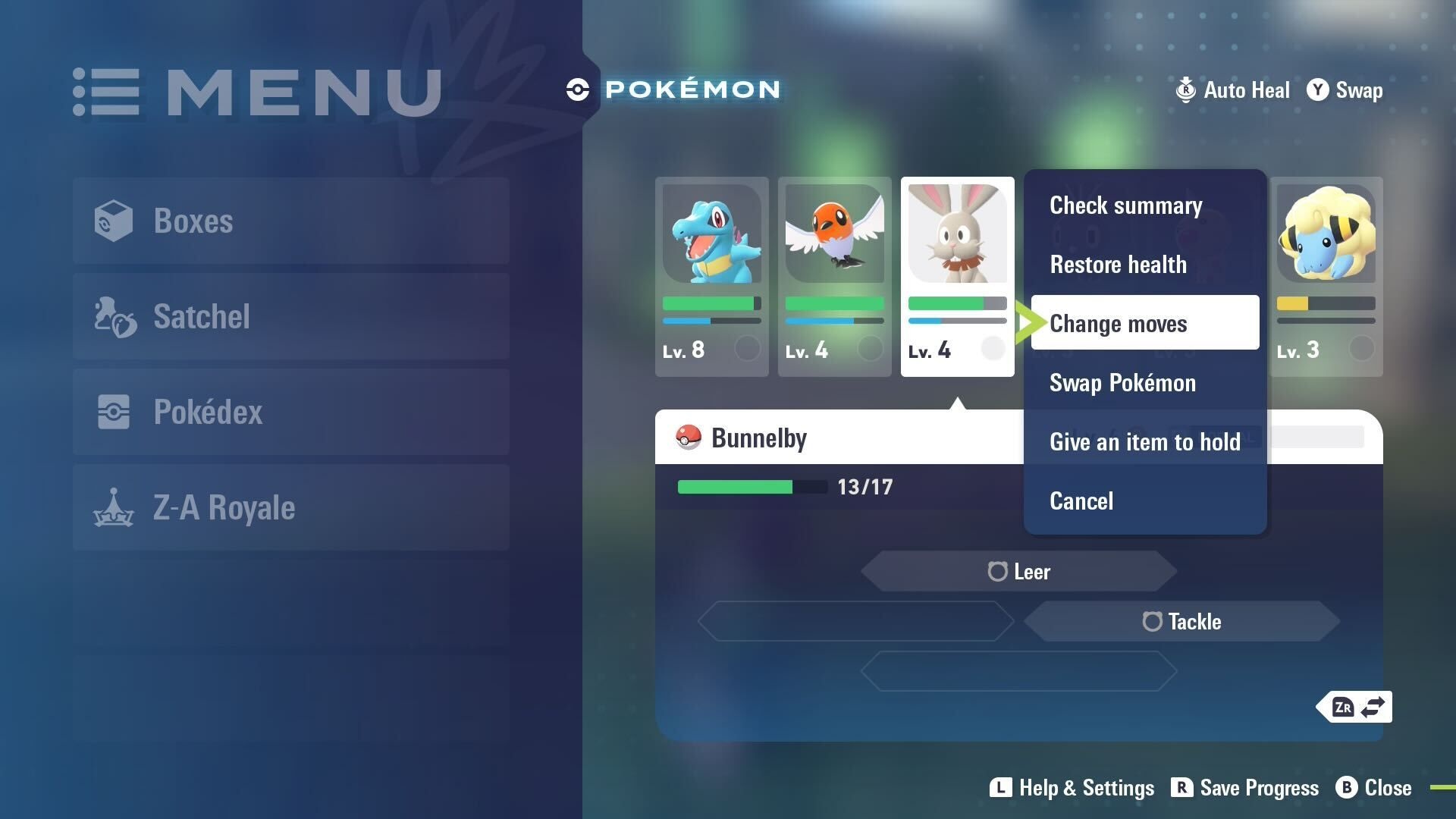
That’s it. It’s all done through the menu, so there’s no move tutor NPC to find. If you accidentally overwrite a move you wanted to keep, just return to the same Change moves screen and relearn it from the list.
Notes and limitations
Be aware of a few practical limits. First, you cannot teach a Pokémon a move that it only “gets an idea” for at a higher level if your Pokémon is still too low-level. In other words, you must wait until the Pokémon actually has that move idea before teaching it.
Second, while you can use TMs from the same menu, you must have the TM available in your inventory. Finally, the system is menu-driven and consistent with recent Pokémon entries: fast and repeatable, but tied to the Pokémon’s own learned ideas and your TM stock.