Switch 2 Showing Wrong Battery Level? Here’s How to Fix the Charge Indicator Fast

Is your Switch 2 showing you a low battery warning way too soon? Don’t panic! You’re not alone, and your console’s battery might be just fine. Many users are noticing that the Nintendo Switch 2’s battery charge indicator sometimes acts up, showing empty even when there’s plenty of juice left. Let’s go straight to the point and fix that annoying battery level bug so you can get back to gaming without the stress!
- What’s wrong with the Switch 2 battery indicator?
- How to quickly reset the charge indicator
- Advanced method if the first one doesn’t work
- Links to official Nintendo support for more details
Switch 2 Battery Indicator Bug – What’s Going On?
If you’re seeing an empty battery sign on your Switch 2 way before the battery should be running out, the problem is likely with the indicator, not the battery itself. For reference, a full charge on Switch 2 should last anywhere from 2.5 to 6.5 hours, depending on what you’re playing. If it’s only been an hour and you’re already getting low battery warnings, it’s time to try a fix.
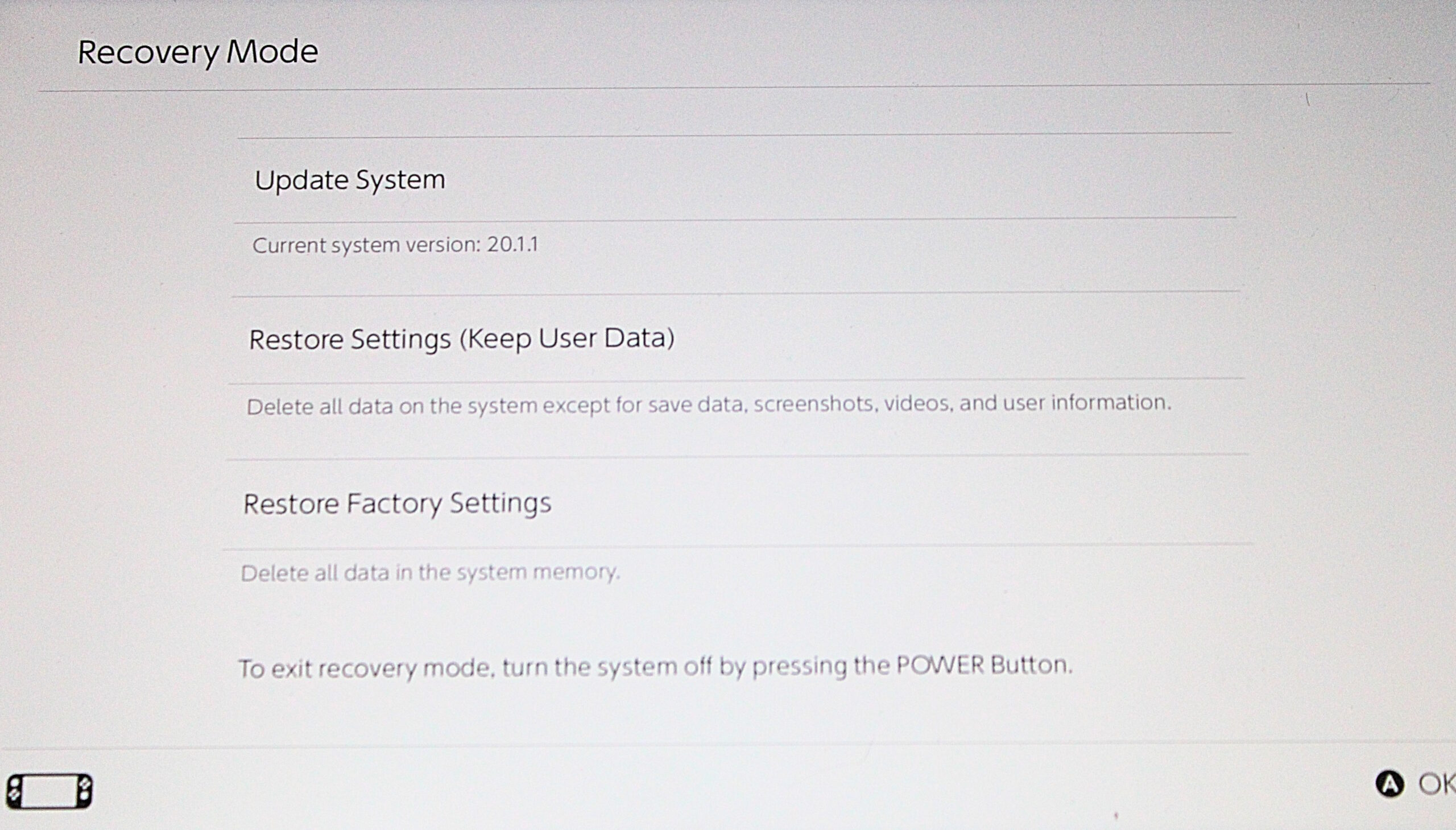
How To Fix the Switch 2 Battery Indicator – Quick Method
Nintendo knows about this issue and has shared a quick fix on their website. Here’s what you should do:
- Always use the official Nintendo Switch AC adapter (Model HAC-002) plugged directly into your console.
- Check for the latest system update and install it if needed.
- Turn off your Switch 2 completely.
- Hold down both the volume up (+) and volume down (-) buttons. Then press the power button once, still holding the volume buttons.
- Your Switch 2 will start in Recovery Mode. This should reset the battery indicator automatically—no extra settings needed.
- Hold the power button to turn off the console, then turn it on as usual. Repeat these steps a couple of times if needed!
You can find the official instructions straight from Nintendo
right here.
Still Not Fixed? Try This Advanced Battery Calibration
If the quick fix didn’t do the trick, Nintendo recommends another method to calibrate the battery indicator:
- Go to system settings > sleep mode. Set all Auto-Sleep options (“Playing on System Screen,” “Connected to TV,” and “Playing Media Content”) to never.
- Plug in the AC adapter directly to the console and charge for at least three hours, or until the battery is 100% full.
- Leave the console plugged in for an extra hour even after reaching 100%.
- Unplug the AC adapter and let your Switch 2 sit on the HOME Menu for 3-4 hours to nearly drain the battery.
- Switch off your console and let it rest for at least 30 minutes.
- Repeat this whole process several times for best results.
You’ll find more details on the official Nintendo support page
at this link.
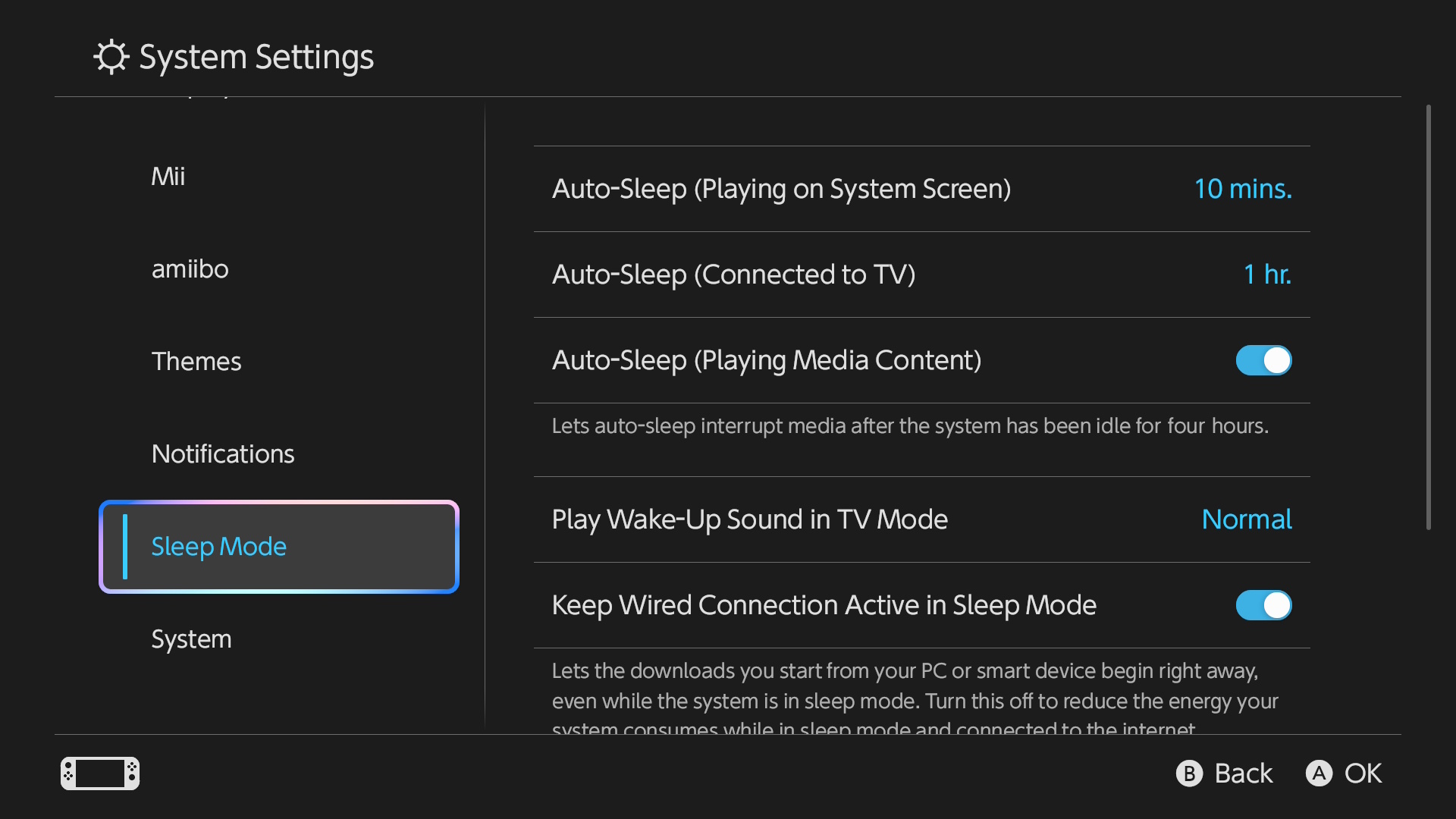
Get Back to Gaming!
Hopefully, one of these methods helps your Switch 2 show the real battery status again. If not, keep an eye on official updates from Nintendo. And remember, it’s always a good idea to use the original charger and keep your system updated for the best performance.